

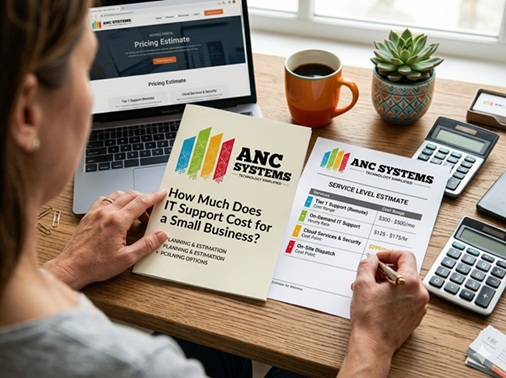
You didn’t start a business so you could spend your mornings rebooting servers, your afternoons on hold with a software vendor, and your evenings worrying about whether your customer data is secure. Yet for millions of small business owners across the country, that’s exactly what happens when their IT situation isn’t sorted. The question everyone eventually asks — and almost nobody gets a straight answer to — is a simple one: How much does IT support actually cost? This guide will give you that straight answer, along with everything you need to make the right decision for your business.
Why IT Support Is a Business Investment, Not Just an Expense
Let’s reframe this conversation before we get into numbers. Most business owners approach IT support the same way they approach car insurance — something they’re legally or practically required to have, bought at the lowest possible price. That’s a costly mistake.
Technology is now the central nervous system of virtually every small business, regardless of industry. Your email, your customer records, your accounting software, your point-of-sale system, your ability to communicate with clients and vendors — all of it runs on technology, and all of it is vulnerable. The businesses that treat IT support as a strategic investment consistently outperform those that treat it as a grudge purchase.
Consider the numbers that most business owners never add up:
Average cost per hour of unplanned downtime for an SMB
Of all cyberattacks specifically target small businesses
Of small businesses close within 6 months of a major cyber breach
Average productive time lost per employee per day to IT friction
None of those numbers show up in your IT support invoice — but they’re real costs your business is absorbing every month. A well-structured IT support arrangement doesn’t just fix things when they break. It keeps them from breaking. It keeps your data safe. And it gives you back the hours you and your team are losing to technology that isn’t working the way it should.
The Two Fundamental Models: Break-Fix vs. Managed IT Services
Every IT support pricing conversation begins here. Before you can understand what IT support costs, you need to understand the two fundamentally different philosophies behind how it’s delivered — because they produce completely different outcomes for your business.
Break-Fix: Pay When Something Goes Wrong
The break-fix model is the oldest in the industry, and the name tells you everything: something breaks, you call someone, they fix it, you pay. There is no ongoing relationship, no monthly commitment, and no proactive work happening behind the scenes.
Typical break-fix pricing: Most break-fix providers charge between $100 and $250 per hour for on-site work, and $75 to $175 per hour for remote support. Some offer pre-purchased block hour packages — bundles of 10, 20, or 40 hours at a slightly discounted rate of $65 to $150 per hour — that you draw down as issues arise.
On the surface, break-fix looks attractive. You pay nothing when things are running fine. No contracts, no commitment, no monthly overhead. But there is a fundamental problem hiding underneath that apparent simplicity, and it is one that most small business owners discover the hard way.
Under the break-fix model, your IT provider is only paid when things go wrong. That means there is zero financial motivation for them to keep your systems running smoothly. In fact, the worse your technology performs, the more money they make. You are quite literally paying a penalty every time something fails — with no protection against the next failure. This is not the relationship you want with the company responsible for your business’s technology.
Managed IT Services: Pay a Fixed Fee for Ongoing Partnership
Managed IT Services — delivered by a Managed Services Provider, or MSP — operate on a completely different logic. Instead of calling someone after something breaks, you engage an IT partner who takes continuous, proactive responsibility for your entire technology environment. They monitor your systems around the clock, apply security updates before vulnerabilities are exploited, and resolve dozens of small issues before you ever know they existed.
You pay a predictable monthly fee. That fee doesn’t change whether your MSP worked 5 hours this month or 50. And that single fact changes everything about the relationship.
When your MSP makes more money by keeping your systems running perfectly, and loses money every time something goes wrong, they have a powerful business incentive to do exactly what you need them to do: prevent problems before they happen. This is the alignment that break-fix simply cannot offer.
Managed IT Services pricing typically runs between $100 and $350 per user per month for a comprehensive plan, depending on your location, the complexity of your environment, and what’s included. We’ll break that down in detail in the next section.
Every Pricing Model Explained (With Real Numbers)
Within those two broad approaches, the market offers several distinct pricing structures. Here is every model you’ll encounter, what it costs, and what it’s best suited for:
Quick Comparison: Break-Fix vs. Managed IT Services
| Factor | Break-Fix | Managed IT Services |
|---|---|---|
| Monthly Cost | Unpredictable — spikes with every incident | Fixed, consistent, budgetable |
| Proactive Monitoring | ✗ None — fully reactive | ✓ 24/7 monitoring and alerting |
| Cybersecurity | ✗ Typically not included | ✓ Included in good plans |
| Response Time Guarantee | ✗ None — when available | ✓ Contracted SLA (often 1–4 hrs) |
| Patch & Update Management | ✗ Only if you ask (and pay) | ✓ Continuous and automated |
| Vendor Incentive | ✗ Profits when things break | ✓ Profits when things work |
| Backup & Disaster Recovery | ✗ Extra cost or unavailable | ✓ Usually included or add-on |
| Strategic IT Planning | ✗ None | ✓ Quarterly reviews standard |
| Best For | 1–4 users, minimal IT needs | 5+ users, any growing business |
What Your IT Support Plan Should Actually Include
One of the most common traps in the MSP market is the attractively priced plan that looks comprehensive until you actually need something — and discover it’s an add-on. Before you sign any managed IT agreement, here is what a quality plan for a small business should include as standard, non-negotiable services:
- Help Desk Support — Remote and on-site support for day-to-day issues, with written, guaranteed response-time SLAs. “We’ll get to it” is not an SLA.
- 24/7 Proactive Monitoring — Continuous monitoring of servers, workstations, and network infrastructure. Issues should be caught before they become outages.
- Patch Management — Automated, scheduled updates to operating systems, applications, and firmware. Unpatched systems are the number-one entry point for ransomware.
- Business-Grade Endpoint Security — Enterprise-class antivirus, anti-malware, and EDR (Endpoint Detection & Response) on every device. Not the consumer-grade software that came pre-installed on your laptops.
- Data Backup & Tested Recovery — Automated daily backups to a secure, offsite or cloud location. Critically: regular restoration testing. “We back up your data” and “we can actually restore it when you need it” are two entirely different claims.
- Email Security — Business-grade spam filtering, phishing protection, and email encryption. Email is the primary attack vector for cybercrime against small businesses.
- Vendor Management — Your MSP becomes the single point of contact for all your technology vendors — software providers, hardware suppliers, internet carriers. You stop being on hold.
- IT Asset Management — A complete, maintained inventory of your hardware, software licenses, warranty dates, and renewal schedules. No more surprise license expirations.
- Virtual CIO (vCIO) Strategic Planning — Regular technology reviews and forward-looking planning so your IT infrastructure supports where your business is going, not just where it’s been.
- Security Awareness Training — Your employees are your biggest security vulnerability and your best defense. Regular, updated training on phishing, social engineering, and safe computing should be included.
Request a sample Service Level Agreement (SLA) and ask for an explicit list of what is included and what is excluded. Any reputable provider will hand this over without hesitation. If they’re vague, that vagueness will cost you money later.
The Hidden Costs Most Business Owners Never See Coming
The quoted monthly fee is only one part of what IT support actually costs. Experienced business owners know to look for what’s hiding in the fine print. Here are the most common hidden costs in IT support agreements — and how to protect yourself from each one.
After-Hours and Emergency Premiums
Many MSP contracts cover support Monday through Friday, 9 to 5. A server failure at 7 PM on a Friday can be billed at emergency rates — often 1.5x to 3x the standard hourly rate. If your business runs outside traditional hours or if any after-hours outage would cause you significant harm, 24/7 coverage must be explicitly written into your contract, not assumed.
On-Site Visit Fees
Some agreements cover remote support only. On-site visits — which are essential for hardware failures, new device setup, network wiring, or any physical infrastructure work — are billed separately, often at $150 to $300 per visit plus travel time. Know upfront whether on-site work is included and under what circumstances.
Out-of-Scope Billing — The Most Expensive Trap
This is where vague contracts become very expensive. Certain providers use deliberately broad language to classify large categories of legitimate work as “outside the scope” of your agreement, triggering hourly billing. A cloud migration, a new employee setup, a printer that won’t connect — all of these can become billable surprises if the scope isn’t clearly defined. Before signing, ask your provider to define explicitly what is not covered. The answer will tell you a great deal about how they operate.
Hardware and Software Markups
IT providers commonly act as resellers for the hardware and software they recommend. Markups of 15 to 30 percent over distributor pricing are standard and generally reasonable — you’re paying for the expertise, procurement, and warranty management. But you should know these margins exist. Ask whether you can source hardware independently if you find a materially better price.
Onboarding Fees
Almost all MSPs charge a one-time onboarding fee to document your existing environment, deploy monitoring agents, establish baselines, and integrate your infrastructure into their systems. This is legitimate work — it can take significant time — and fees typically range from $500 to $5,000 depending on the size and complexity of your environment. It’s a negotiable item, especially if you’re signing a longer contract term.
Software Licensing Costs
The security and monitoring tools your MSP deploys are not free to them, and they will pass those costs to you — either bundled into the monthly fee or as line-item add-ons. Common tools include Remote Monitoring and Management (RMM) software, endpoint detection platforms, email filtering services, and backup solutions. Make sure you understand what tools are included and what would be extra before you commit.
If a provider quotes you a significantly below-market monthly rate, waives onboarding fees entirely, and offers a month-to-month contract with no questions asked — read every line of that agreement before signing. Low-quality providers commonly recover lost margin through excessive out-of-scope billing, inferior security tooling, and response times that look good on paper and fail in practice.
Doing the Real Math: What IT Support Costs vs. What It Saves
Pricing in the abstract is hard to evaluate. Let’s put this in concrete terms with two realistic scenarios for a 15-person small business, comparing break-fix against a mid-tier managed services plan.
Scenario A: Break-Fix (15 Employees)
📊 Estimated Monthly Break-Fix Costs
And that’s a normal month. One ransomware incident, one server failure, or one extended outage could easily add $15,000 to $50,000 in a single month — with zero infrastructure in place to prevent it from happening again.
Scenario B: Managed IT Services (15 Employees)
📊 Estimated Monthly Managed IT Costs
For roughly $850 less per month — and dramatically less exposure to catastrophic incidents — this business has 24/7 monitoring, guaranteed response times, ongoing security, data backup, and a team of experts who know their environment. The math is rarely this close in the real world; most businesses find managed services saves money within the first year while delivering substantially better outcomes.
How to Choose the Right Model for Your Business
Pricing models aside, the right choice comes down to your business’s specific situation. Here is a clear framework for making that decision honestly.
Break-Fix Is Likely the Right Choice If All of These Are True:
- You have 4 or fewer employees and your technology setup is genuinely simple
- A few hours of downtime would not meaningfully impact your revenue or your clients
- You handle no sensitive customer data, financial records, or regulated information
- You have not experienced a significant IT incident in the past two years
- You have an internal IT person and only need occasional specialist support for overflow
Managed IT Services Is Almost Certainly the Right Choice If Any of These Are True:
- You have 5 or more employees who depend on technology to do their jobs every day
- You handle customer data, payment information, health records, or any regulated information
- An outage of even two to three hours would cause real harm to your revenue or your reputation
- You’ve experienced a security incident, data loss, or major outage in the last two years
- You’re growing and need your technology infrastructure to scale reliably with you
- You currently spend meaningful time dealing with IT issues instead of running your business
- You want predictable costs and the peace of mind that comes with a real IT partner
If your business would be seriously disrupted by a three-day IT outage, you need managed IT services. If three days would be genuinely fine, break-fix might work. If you’re unsure — the answer is managed services.
10 Questions to Ask Before Signing Any IT Contract
The difference between a great IT partner and an expensive disappointment often comes down to asking the right questions before you commit. Here are the ten questions every small business owner should ask — and what the answers should tell you:
- What is your guaranteed response time for critical issues — and what are the consequences if you miss it? If there’s no contractual consequence, the guarantee means very little.
- What exactly is included in this contract — and what exactly is not? Ask for a written exclusions list, not just a list of what’s covered.
- Do you monitor our systems 24 hours a day, 7 days a week, including weekends and holidays? Threats don’t keep business hours, and neither should your monitoring.
- What specific security tools do you use, and how often are they updated? Named tools, not vague assurances. You should be able to look up what they’re deploying.
- Walk me through your backup and disaster recovery process — and when did you last test a full restoration? An untested backup is not a backup.
- Will we have a dedicated point of contact who knows our business and our environment? A rotating helpdesk queue is very different from a named account manager.
- What does your onboarding process look like, and how long until we are fully under active management? Good providers have a documented process; poor ones make it up as they go.
- Can you provide references from two or three current small business clients in a similar industry? Any provider worth hiring will say yes without hesitation.
- What are the contract terms, minimum commitment period, and early termination conditions? Understand exactly what you’re agreeing to and how to exit if needed.
- How do you communicate with clients — ticketing, phone, email — and what does your monthly reporting look like? You should receive regular, clear reporting on what your MSP is doing and how your environment is performing.
A confident, well-run IT provider will welcome all ten of these questions. Hesitation, deflection, or vague answers to any of them is important information about what your working relationship with that provider will look like.
Frequently Asked Questions
How much does IT support cost per month for a small business?
For a small business using managed IT services, a realistic budget is between $150 and $350 per user per month for a comprehensive plan, or $1,500 to $5,000 per month for a team of 10 to 15 people. Break-fix costs vary more widely — from a few hundred dollars in a quiet month to several thousand when a significant issue arises. Most small businesses find managed services delivers better value over a 12-month period.
Is managed IT support worth it for a very small business with fewer than 5 employees?
It depends heavily on how technology-dependent your business is and what data you handle. Many MSPs offer entry-level plans starting around $500 to $900 per month for very small teams. If you process customer payments, store any sensitive client information, or would genuinely struggle to operate if your systems went down for 24 hours, managed IT services is almost certainly worth the investment at any size.
What is the difference between an MSP and a regular IT company?
A traditional IT company operates reactively — you call when something breaks, and they respond. A Managed Services Provider (MSP) operates proactively under an ongoing contract, monitoring and maintaining your technology environment continuously. The key difference is prevention vs. reaction, and the financial incentive structure that drives very different behaviors from each model.
Should I be billed per user or per device?
Per-user pricing is typically simpler and more cost-effective for businesses where employees each use multiple devices — laptops, desktops, mobile phones. Per-device pricing can be more economical in environments with many shared workstations or terminals but relatively few named users, such as manufacturing facilities, retail locations, or warehouses. Ask your prospective provider to model both options against your specific environment.
How do I know if I’m currently overpaying for IT support?
If you are paying more than $200 per user per month and still experiencing frequent outages, slow response times, recurring unresolved issues, or an overall sense that your technology is holding your business back — you are likely overpaying for the outcomes you’re receiving. Most reputable IT providers offer a free, no-obligation assessment of your environment. Getting a second opinion costs you nothing.
Does managed IT support include cybersecurity?
It varies significantly by provider and plan tier. Quality managed IT plans should include endpoint protection and automated patch management at a minimum. Stronger plans include multi-factor authentication management, business email security, security awareness training for your employees, dark web monitoring, and compliance support. Always get a specific list of included security services in writing before signing.
What is a reasonable contract length for managed IT services?
One-year contracts are the most common starting point for new MSP relationships and represent a fair balance — enough time to build a productive working relationship and realize the full value of onboarding, without a long-term commitment before trust is established. Three-year contracts often come with pricing incentives. Month-to-month options are available from many providers at a small premium. Be cautious of any provider pushing very long initial commitments without a strong track record of demonstrated results.
Can I switch IT providers if I’m unhappy with my current one?
Yes — though the process is easier with some providers than others. Before signing any agreement, review the termination clause carefully. Understand the notice period required, whether there are early termination fees, and critically, how your data, documentation, and credentials will be returned to you if you decide to leave. Reputable providers document this process clearly. Providers who make exit difficult should prompt serious questions about why.
Stop Guessing. Get a Clear Picture of Your IT Costs.
We offer a free, no-obligation IT assessment for small businesses — a real review of your current environment, your risks, and exactly what proper IT support would cost for your specific situation. No jargon. No pressure. Just straight answers.